One App, Three Smart Ways to Save or Earn with Your Safaricom Line
Mobile data, airtime and M-Pesa are part of everyday life in Kenya. You may accidentally buy too much airtime, need an affordable bundle urgently, or want a simple side hustle that you can manage from your phone. The Express Digital App brings these needs together in one convenient Android application.
With the app, you can:
- Convert extra Safaricom airtime to M-Pesa.
- Buy cheap and discounted Safaricom data, minutes and SMS bundles.
- Become an Express Digital agent, sell bundles and earn commission.
Instead of looking for different platforms for each service, you can manage them from one place. Download the official Express Digital App on Google Play and choose the service you need.
What Is the Express Digital App?
The Express Digital App is an Android application from Express Digital Services designed to make common mobile transactions easier for customers and agents in Kenya. It connects users to airtime conversion, affordable Safaricom bundle purchases and a digital bundle-reselling opportunity.
The app is useful whether you want to recover value from unused airtime, spend less on data or build a small mobile-based business. Its simple service categories help you complete transactions without following complicated processes.
1. Convert Airtime to M-Pesa
Buying the wrong amount of airtime can leave money locked in your Safaricom airtime balance. You may also receive airtime when you would prefer to have cash in your M-Pesa wallet. Express Digital gives you a convenient way to convert eligible Safaricom airtime to M-Pesa.
The service currently advertises up to 80% cashback. This means the amount sent to your M-Pesa account is calculated from the eligible airtime successfully transferred and confirmed by the system.
Example airtime-to-M-Pesa calculations
At an 80% cashback rate, the estimated amounts would be:
| Airtime transferred | Estimated M-Pesa amount |
|---|---|
| KSh 100 | KSh 80 |
| KSh 500 | KSh 400 |
| KSh 1,000 | KSh 800 |
Always confirm the current rate and final amount displayed before completing a transaction, because service terms or rates may change.
How to convert airtime to M-Pesa with Express Digital
- Download and open the Express Digital App.
- Select the airtime-to-M-Pesa conversion service.
- Enter the Safaricom number containing the airtime.
- Enter the M-Pesa number that should receive the payment.
- Enter the exact airtime amount you want to convert.
- Review the estimated M-Pesa amount and follow the generated Safaricom Sambaza instructions.
- Transfer the exact amount requested and wait for confirmation.
- Once the airtime is received and verified, the corresponding payment is sent to the supplied M-Pesa number.
For the best results, use the generated instructions exactly as displayed, send the correct amount and retain at least KSh 5 airtime on the sending line. Do not repeat a transfer unless the first attempt has been confirmed as unsuccessful.
You can also use the dedicated airtime-to-M-Pesa conversion page for the web-based service and detailed instructions.
When airtime conversion can help
This service can be useful when:
- You accidentally purchased more Safaricom airtime than you needed.
- Airtime was sent to your line instead of money.
- You have unused airtime and would rather have M-Pesa cash.
- You need to recover part of the value of excess airtime.
Only transfer airtime through instructions generated by the official Express Digital app or website. If a transaction is delayed, keep your confirmation messages and contact official support before trying again.
2. Buy Cheap and Discounted Safaricom Bundles
Data is essential for WhatsApp, social media, online learning, remote work, entertainment and running a business. However, buying the wrong bundle can make you spend more than necessary. Express Digital lets you compare available Safaricom offers and select a bundle suited to your budget and usage.
Depending on current availability, the platform may list:
- Affordable daily, weekly and monthly data bundles.
- Safaricom Bingwa bundles.
- Gift bundles for another Safaricom number.
- Minutes and voice bundles.
- SMS bundles.
- Combination packages containing data, minutes or SMS.
Bundle availability, price, validity and purchase limits can change. Always read the displayed bundle description before paying, especially where an offer can only be purchased once per day or is valid during certain hours.
How to buy Safaricom bundles using the app
- Open the Express Digital App.
- Go to the bundles section.
- Select the data, minutes or SMS package you want.
- Enter the Safaricom number that should receive the bundle.
- Confirm the phone number that will make the M-Pesa payment.
- Approve the M-Pesa STK prompt using your PIN.
- Wait for the purchase and bundle-delivery confirmation.
Entering the recipient number separately is useful when buying a bundle for a relative, friend, employee or customer. Check every digit before approving the payment because delivery is made to the number supplied during checkout.
To view currently available plans and prices, visit the cheap Safaricom bundles page or install the Express Digital App from Google Play.
Why buy bundles through Express Digital?
The platform is designed to offer a straightforward purchasing experience with:
- Discounted prices on eligible Safaricom bundles.
- Convenient M-Pesa payment through an STK prompt.
- A choice of data, minutes and SMS packages.
- The ability to send supported bundles to another Safaricom number.
- Transaction access through both the Android app and website.
The best bundle is not always the one with the most data. Choose according to the validity period and how you plan to use it. A smaller daily offer may suit short-term browsing, while a weekly or monthly package may provide better convenience for regular use.
3. Become an Agent, Sell Bundles and Earn Commission
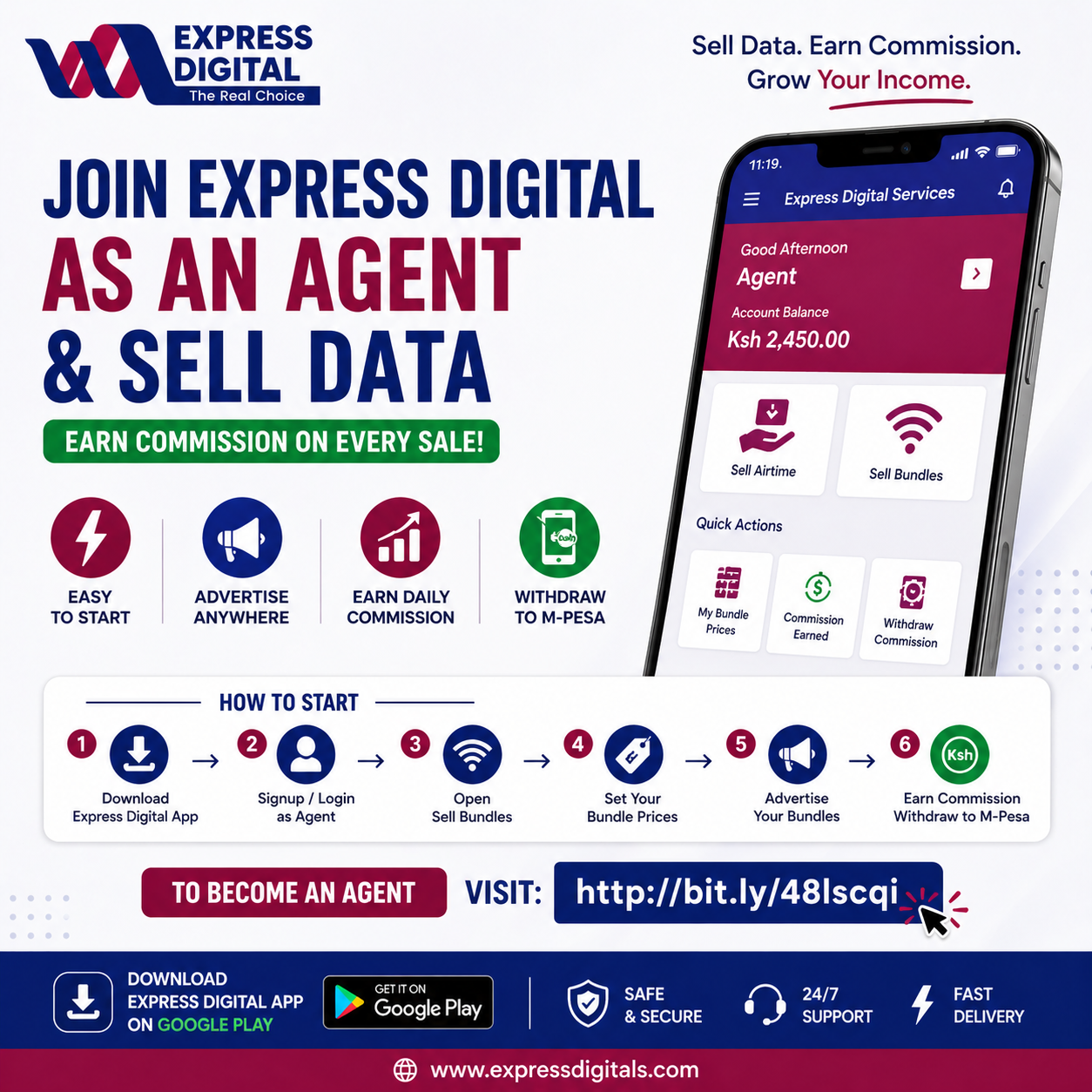
The Express Digital App is not only for personal transactions. It also gives interested users an opportunity to become Express Digital bundle agents and earn commission by selling Safaricom bundles to customers.
This can suit students, shop owners, cybercafe operators, mobile-money attendants, social-media marketers and anyone with access to potential bundle buyers. You do not need to build your own website or manually deliver each bundle. Express Digital provides the sales and transaction tools while you concentrate on finding and serving customers.
How the Express Digital agent opportunity works
- Download the Express Digital App from Google Play.
- Create or sign in to your agent account.
- Open the Sell Bundles section.
- Review the available agent prices.
- Set your customer-facing prices and preferred profit margin where the app allows it.
- Share your personalized bundle page or advertised offers with customers.
- Track sales and commission from your agent dashboard.
- Withdraw eligible earnings to M-Pesa according to the current agent terms.
Your profit generally comes from the difference between the applicable agent rate and the selling price configured for customers. There is no guaranteed income: the amount earned depends on your pricing, completed sales, marketing effort and the platform's current agent rules.
Ways to attract more bundle customers
Becoming an agent is only the beginning. Consistent, honest promotion is what can turn the opportunity into useful extra income. You can:
- Share your personalized bundle link on WhatsApp Status.
- Post available offers in relevant WhatsApp, Facebook and Telegram groups without spamming.
- Serve colleagues, classmates, neighbours or existing shop customers.
- Use clear posters showing the bundle size, price and validity.
- Respond quickly when customers ask questions.
- Confirm the recipient number before every purchase.
- Avoid promising offers or delivery times that are not displayed on the platform.
Trust matters in digital selling. Use accurate prices, keep transaction records and direct customers to official support when a transaction requires investigation.
Read the complete Express Digital bundle-agent guide to learn how to set prices, share your agent page and manage earnings.
Why Use the Express Digital App?
The biggest advantage is convenience. One app connects three related services that can help you recover money, save on communication costs or create an income opportunity.
Everything in one place
You can access airtime conversion, discounted bundles and agent tools without switching between unrelated platforms.
Built for Kenyan mobile users
The services focus on Safaricom and M-Pesa, making the app relevant to common payment and communication habits in Kenya.
Suitable for customers and sellers
A customer can use the app to convert airtime or purchase a bundle. An agent can use the same app to manage bundle sales, pricing and commission.
Available through Google Play
Downloading from the official Google Play listing helps you obtain the legitimate Android app and receive available updates through the Play Store.
Who Should Download the Express Digital App?
The app may be useful for:
- Safaricom users with excess or mistakenly purchased airtime.
- Anyone looking for affordable data, minutes or SMS bundles.
- People who regularly buy bundles for family members or friends.
- Students seeking a flexible bundle-reselling side hustle.
- Small-business owners who want an additional digital product to sell.
- Social-media marketers with an audience interested in bundle offers.
- Existing Express Digital agents who need to manage sales and earnings.
How to Download the Express Digital App
Follow these steps on your Android phone:
- Open Google Play Store.
- Search for Express Digital by Express Digital Services.
- Confirm that you are viewing the official listing.
- Tap Install.
- Open the app after installation and choose the service you need.
For a direct and safer route, use this official link: Download Express Digital on Google Play.
Avoid downloading unofficial APK files from unknown websites. The Google Play listing is the recommended source for the Android app.
Express Digital App Frequently Asked Questions
What can I do with the Express Digital App?
You can convert eligible Safaricom airtime to M-Pesa, buy discounted Safaricom data, minutes and SMS bundles, or operate as an Express Digital bundle agent and earn commission from completed sales.
How much do I receive when converting airtime to M-Pesa?
Express Digital currently advertises up to 80% cashback. At an 80% rate, KSh 500 in successfully transferred airtime would return an estimated KSh 400 to M-Pesa. Confirm the rate and amount displayed before transferring airtime.
Can I buy a Safaricom bundle for another person?
Yes, supported offers allow you to provide a separate Safaricom number to receive the bundle. Check the recipient number carefully before approving the M-Pesa payment.
Are bundle prices always the same?
No. Available offers, validity periods, prices and purchase limits may change. Use the app or the official bundles page to confirm current details.
How do Express Digital agents earn commission?
Agents sell eligible bundles to customers using the platform's agent tools. Earnings depend on the applicable agent price, the selling price and successfully completed sales.
Do agents need their own website?
No. Express Digital provides a personalized sales page that an agent can share with customers. The agent dashboard is used to manage pricing, sales and eligible withdrawals.
Can I withdraw agent earnings to M-Pesa?
The agent service supports eligible commission withdrawals to M-Pesa under the platform's current terms. Check the app for the latest withdrawal rules and status.
Is the Express Digital App available for iPhone?
The official download promoted here is the Android version available on Google Play. Check official Express Digital channels for any future iOS availability.
What should I do if a transaction is delayed?
First, avoid repeating the payment or airtime transfer. Keep the M-Pesa message, airtime-transfer confirmation and any reference shown in the app, then contact Express Digital through its official support channel.
Download Express Digital and Choose What Works for You
Whether you want to turn extra airtime into M-Pesa, spend less on Safaricom bundles or start earning from bundle sales, the Express Digital App gives you a practical place to begin.
Download the app, review the service details and select the option that matches your goal:
- Convert airtime: Recover up to 80% of eligible Safaricom airtime through M-Pesa.
- Buy bundles: Choose from available discounted Safaricom data, minutes and SMS offers.
- Become an agent: Sell bundles, build a customer base and earn commission from completed sales.
Download the Express Digital App on Google Play
You can also explore all services at ExpressDigitals.com.
Service availability, bundle prices, cashback rates, transaction times and agent terms may change. Always confirm the details shown in the official app or website before paying or transferring airtime. Safaricom and M-Pesa are trademarks of their respective owner; their use here identifies compatible services and does not by itself imply endorsement.
Verified by the Express Digital Services Technical Team.